The Modify Home Owners Association screen has three tabs roughly corresponding to the panels of the HOA Registration wizard (see figure 1).
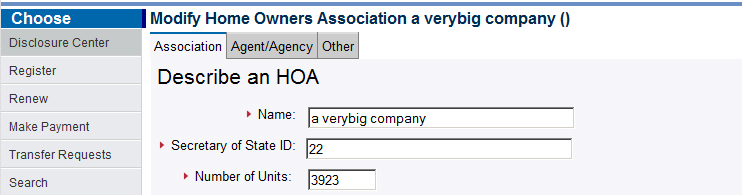
Figure 1
Association Tab
Use the Association tab to describe the home owners association, including
it's name, Colorado Secretary of State id number, number of units and so forth.
Provide a value for each field and press the Continue button
when you are satisfied that the information you entered is correct. Agent/Agency Tab
On the Agent/Agency tab, if you represent the HOA, choose the option entitled I am the designated agent. If you are
registering the HOA on behalf of someone else, choose Someone else is the designated agent
and fill in the contact information for that person.
Other Tab
On the Other tab, you specify the name of the common interest community
and the intial date of recording of the declaration. You optionally specify the reception
number and the book and page for the main document that constitutes the declaration.